ModTek Case for Samsung Galaxy Tab Active 4 Pro SM-T630/SM-T636
Maximum protection for demanding environments
The ModTek Case is a professional protective case designed to withstand harsh conditions. Perfect for automotive assembly, field work, industrial use or other environments where extra protection is essential. The case is specifically designed for the Samsung Galaxy Tab Active4 Pro (SM-T630 / SM-T636) and is part of the modular ModTek system - ensuring full compatibility with current and future ModTek docks.
Features and benefits:
- Superior protection : Equipped with shock-absorbing springs and tested for drops from 1.8 meters onto concrete, it withstands vibrations, shocks and rough handling in vehicles and in the field.
- Compatibility : with ModTek Dock: The case enables direct USB-C connection between the tablet and the docking station for both fast charging and high data transfer without removing the case.
- Smart design : Easy access to all buttons, ports, cameras and screen. Ergonomic finger cutouts provide better grip and comfort during daily use.
- Developed for vehicles: Stable and secure attachment in a car or machine. Works seamlessly with other ModTek components and accessories.
- Future-proof system : Part of the ModTek system, making the case ready for future upgrades and integrations.
Excl. VAT
Produktnummer: 216444
Couldn't load pickup availability
In stock: 1 pcs
Share
Document
Document
What's in the box?
What's in the box?
1 × ModTek Case
Manufacturer
Manufacturer
Brodit

Installation guide - Step 1.
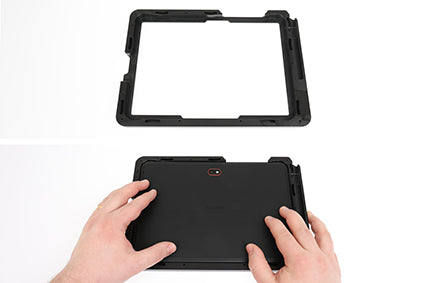
Place the frame face down, insert the tablet into the frame with the screen facing down.
Step 2.
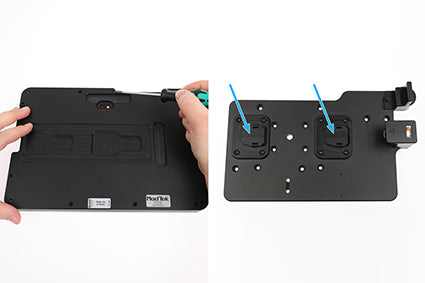
Place the back plate over the tablet and screw in the 10 screws provided.
Step 3. Connecting
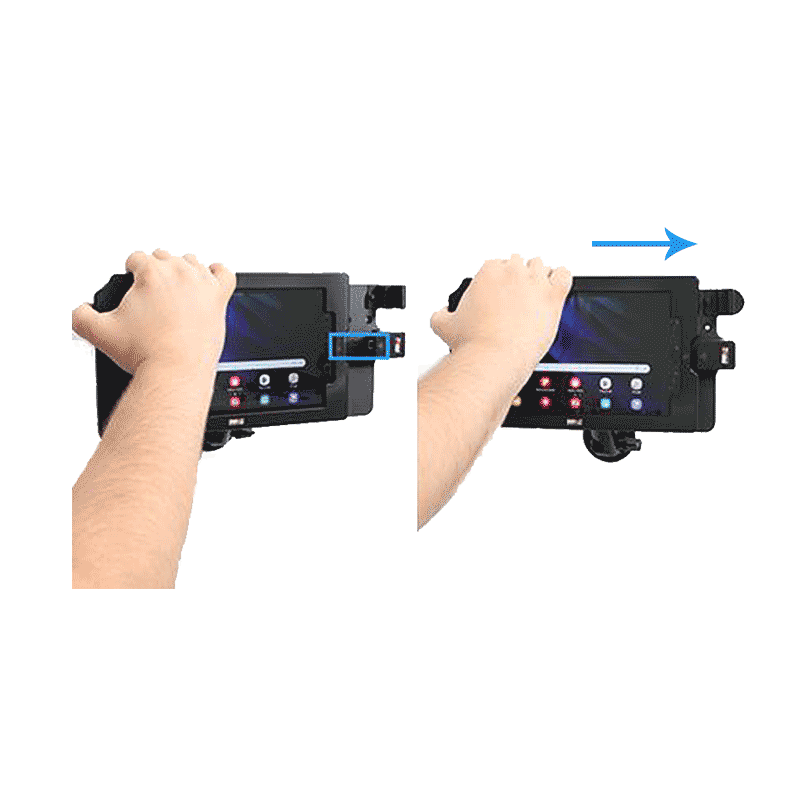
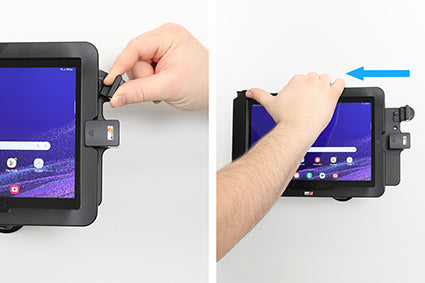
Both the Hard Case and Dock have markings that indicate correct placement when connecting. Place the Hard Case on the ModTek Dock so that both mounting tabs wedge into the Hard Case before you begin to slide the tablet toward the USB-C connector.
NOTE: If only one of the mounting tabs is engaged, the angle of connection will be incorrect and may result in permanent damage. Once the markings are aligned, slide the Hard Case towards the USB-C connector until you hear a distinct click, this should be easy, the movement requires force so start over and make sure both mounting tabs are engaged correctly.
Step 4. Loosen
Turn the locking knob clockwise, then grab the Hard Case and slide it out from the USB-C connector.
Tekniska specifikationer
Allmänt
Höjd: 190 mm
Bredd: 274 mm
Djup: 21 mm
Vikt: 512g
Garanti
Do you want to know more about the product?
Contact us for a demo or if you have any questions.
- Choosing a selection results in a full page refresh.
- Opens in a new window.